Image to 3D AI
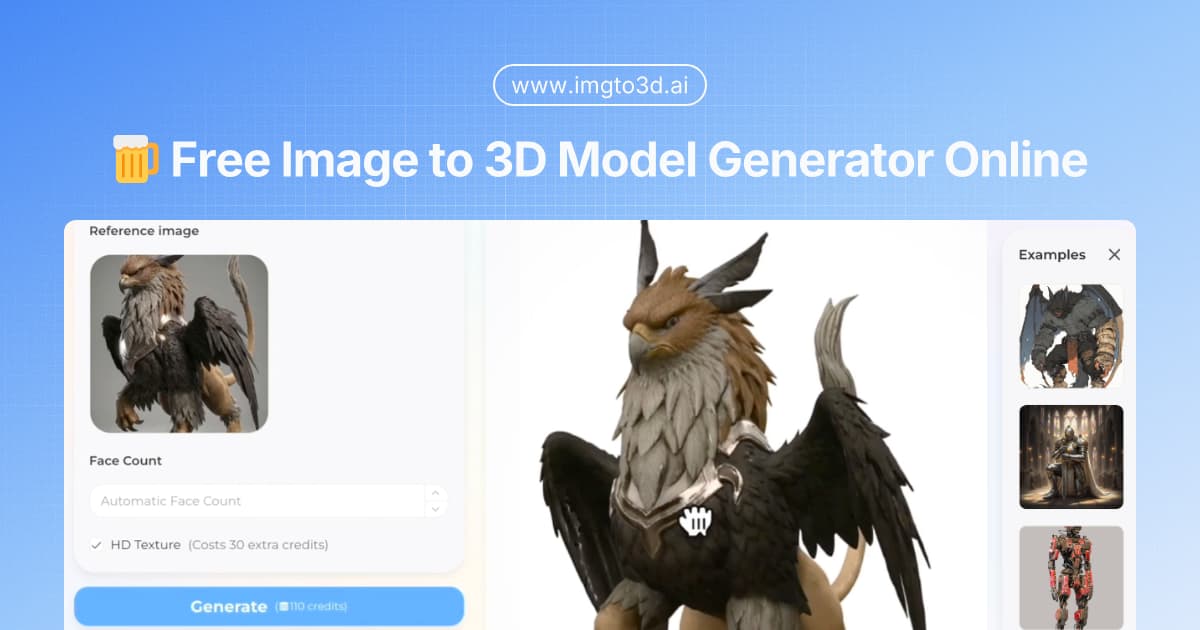
An instant AI engine to transform any 2D image to 3D model seamlessly.
About Image to 3D AI - AI Models & Infrastructure AI Tool
Key Features of Image to 3D AI
- Advanced AI Models & Infrastructure capabilities powered by AI
- User-friendly interface designed for AI Models
- Professional-grade features
- Compatible with modern web browsers and devices
- Regular updates and improvements
Who Should Use Image to 3D AI?
Image to 3D AI is perfect for professionals, businesses, and individuals looking for reliable AI Models & Infrastructure solutions. Whether you're a beginner or an expert in AI Models, this tool offers the flexibility and power you need. Explore our complete AI tools directory to discover more innovative solutions.
How to Use Image to 3D AI - Step-by-Step Guide
Getting started with Image to 3D AI is simple and straightforward. Follow this comprehensive guide to maximize your AI Models & Infrastructure experience.
Frequently Asked Questions About Image to 3D AI
How to use Image to 3D AI for AI Models & Infrastructure?
Getting started with our AI 3D model generator is incredibly simple and requires absolutely no prior 3D modeling experience or heavy hardware. Everything is processed securely in the cloud. Step 1: Upload Your Image Navigate to the dashboard and upload your source file (JPG, PNG, or WebP). For best results, use clear, well-lit photos, concept art, or distinct sketches with clean backgrounds. This helps the AI accurately determine the spatial boundaries when converting the image to 3D model. Step 2: Adjust Your Settings Use the on-screen sliders to set your desired polygon density. If you are building a mobile game, opt for a low-poly 5K mesh. If you need a high-resolution asset for close-up renders or detailed 3D printing, slide it up to 40K. Step 3: Generate and Preview Click generate. Within seconds, our spatial reconstruction engine will process the 2D to 3D conversion. You can then interact with the generated asset directly in your browser using our WebGL previewer, spinning it 360 degrees to inspect the geometry and textures. Step 4: Export to Your Workflow Once satisfied, click download. Users can export standard OBJ files, while premium tiers unlock advanced GLB and STL formats. Import the downloaded file directly into Blender, Maya, Unity, or your preferred 3D slicer to continue your creative workflow.
Is Image to 3D AI free to use in 2026?
Image to 3D AI is a paid tool. Visit their official website for verified pricing and billing options.
What are the best AI Models & Infrastructure alternatives to Image to 3D AI?
The best alternatives to Image to 3D AI in the AI Models & Infrastructure category include LLM Price Check and Frontier Model Forum. Explore other AI Models & Infrastructure tools to find the perfect fit for your needs.
What are the key features of Image to 3D AI?
Image to 3D AI offers advanced AI Models & Infrastructure capabilities including AI-powered AI Models, user-friendly interface, cross-platform compatibility, and regular updates. It's designed for professionals who need reliable AI Models & Infrastructure solutions.
Is Image to 3D AI suitable for beginners?
Absolutely! Image to 3D AI is designed with both beginners and experts in mind. The intuitive interface and comprehensive documentation make it easy for newcomers to AI Models & Infrastructure to get started, while advanced features satisfy professional requirements.
How does Image to 3D AI compare to other AI Models & Infrastructure tools?
Image to 3D AI offers competitive features in the AI Models & Infrastructure space, with particular strengths in AI Models. Compare features, pricing, and user reviews to find the best fit for your specific needs.